Tool Flow Guide roles escalation workflow overview

escalation workflow overview

Author:toolflowguide Date:2026-02-08 Views:113 Comments:0
Table of Contents
  • Escalation Workflow Overview
    • Purpose Benefits
    • Key Components of an Escalation Workflow
    • Typical Workflow Stages
    • Example: IT Support Ticket Escalation
    • Best Practices
    • Common Escalation Models
    • Visualization:
  • Escalation Workflow Overview

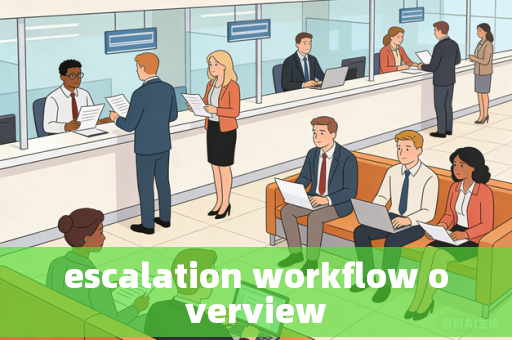
    An escalation workflow is a structured process for routing an issue, request, or incident to higher levels of authority, expertise, or attention when it cannot be resolved at its current level. It ensures timely and appropriate resolution by defining clear rules, roles, and pathways.

    escalation workflow overview


    Purpose & Benefits

    • Ensure Resolution: Guarantees no issue gets stuck or forgotten.
    • Reduce Resolution Time: Speeds up handling by predefined paths.
    • Improve Accountability: Clear ownership at each stage.
    • Prioritize Critical Issues: High-impact problems get rapid attention.
    • Knowledge Transfer: Leverages expertise where needed.
    • Customer Satisfaction: Manages expectations and communicates progress.

    Key Components of an Escalation Workflow

    A. Triggers (When to Escalate)

    • Time-based: SLA/SLO breach (e.g., ticket unresolved for X hours).
    • Severity-based: Critical outage, security threat, major functional failure.
    • Skill-based: Requires specialist knowledge (e.g., network engineer, legal).
    • Hierarchy-based: Decision required from higher management.
    • Customer-driven: VIP client requests escalation, repeated complaints.

    B. Escalation Levels

    • Level 1 (L1): Frontline support, initial triage, basic troubleshooting.
    • Level 2 (L2): Technical specialists, deeper analysis.
    • Level 3 (L3): Experts, product engineers, or developers.
    • Management: Team lead → Manager → Senior Leadership.
    • Executive/C-Suite: For critical business-impacting issues.

    C. Roles & Responsibilities

    • Requester: Reports the issue.
    • Resolver: Individual/team owning the ticket at a given level.
    • Escalation Point/Manager: Authorizes or manages the escalation.
    • Stakeholders: Kept informed (e.g., customer, internal departments).

    D. Communication Steps

    1. Internal Notification: Alert next level/manager.
    2. Status Update: Update ticket/tracking system.
    3. Stakeholder Communication: Inform requester/customer of escalation.
    4. Post-Escalation Handoff: Provide context to new resolver.

    Typical Workflow Stages

    **Detection & Logging**
       → Issue identified, ticket created.
    2. **Initial Attempt & Assessment**
       → L1 attempts resolution, assesses severity/priority.
    3. **Escalation Trigger**
       → Criteria met (time, severity, skill gap).
    4. **Initiation & Routing**
       → Ticket escalated via system (automated) or manually.
       → Assigned to appropriate team/individual at next level.
    5. **Acknowledgment & Investigation**
       → New owner acknowledges, investigates, updates.
    6. **Resolution or Further Escalation**
       → Resolved? → Close ticket, communicate.
       → Not resolved? → escalate again (repeat steps 4-6).
    7. **Closure & Review**
       → Ticket closed.
       → Optional: Root cause analysis, process improvement review.

    Example: IT Support Ticket Escalation

    • Trigger: High-priority ticket (P1) not resolved in 1 hour.
    • Path:
      1. L1 Support: Attempts fix → cannot resolve within 1 hour.
      2. Auto-escalate to L2: System automatically reassigns to specialist team.
      3. L2 Specialist: Investigates → identifies need for network engineer.
      4. Manual escalation to L3: Manager approves escalation to network team.
      5. L3 & Management: Network engineer fixes issue, director informed.
      6. Closure: L1 updates customer, ticket closed, post-mortem scheduled.

    Best Practices

    • Clear Definitions: Document triggers, levels, roles, and SLAs.
    • Automation: Use ticketing systems (Jira, ServiceNow, Zendesk) to auto-escalate based on rules.
    • Communication Templates: Standardize update messages to stakeholders.
    • Training: Ensure teams know procedures and tools.
    • Feedback Loop: Analyze escalations to improve processes, training, or documentation.
    • Delegate Authority: Empower frontline to escalate without excessive approval hurdles.

    Common Escalation Models

    • Functional Escalation: Moving across teams with different expertise.
    • Hierarchical Escalation: Moving up the management chain.
    • Automatic vs. Manual: Rule-based vs. human-initiated.

    Visualization:

    A simple escalation flowchart often looks like:

    [New Issue] → [L1 Support] → [Can resolve?] --Yes--> [Resolve & Close]
             |
             No
             |
             V
    [Escalate to L2] → [Can resolve?] --Yes--> [Resolve & Close]
             |
             No
             |
             V
    [Escalate to L3/Management] → [Resolve] → [Close & Review]

    This structured approach ensures issues are addressed efficiently while maintaining control and visibility across the organization.

    Permalink: https://toolflowguide.com/escalation-workflow-overview.html

    Source:toolflowguide

    Copyright:Unless otherwise noted, all content is original. Please include a link back when reposting.

    Related Posts

    Leave a comment:

    ◎Welcome to take comment to discuss this post.

    • Latest
    • Trending
    • Random
    Featured
    Site Information

    Home · Tools · Insights · Tech · Custom Theme

    Unless otherwise noted, all content is original. For reposting or commercial use, please contact the author and include the source link.

    Powered by Z-BlogPHP · ICP License · Report & suggestions: 119118760@qq.com