Of course. Here is a comprehensive overview of a standard booking workflow, applicable to various industries like travel, hospitality, appointments, and events.
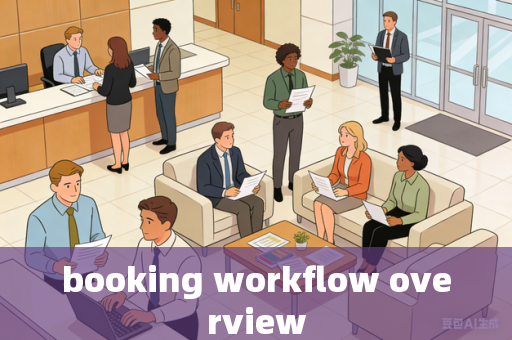
At its core, a booking workflow is the end-to-end process a customer follows to reserve a service, resource, or space, and the corresponding backend operations that fulfill it.
Visual Workflow Summary (Linear View)
flowchart TD
    A[Customer Discovery & Search] --> B[Selection & Availability Check]
    B --> C[Booking Form & Details]
    C --> D[Payment & Confirmation]
    D --> E[Pre-Service Communication<br>Reminders, Updates]
    E --> F[Service Fulfillment / Check-in]
    F --> G[Post-Service Sequence<br>Feedback, Invoice, Retention]
Detailed Phase Breakdown
Phase 1: Pre-Booking (Discovery & Consideration)
- User Action: Customer searches via website, app, phone, or third-party platform (OTA, marketplace).
- System Action: Displays inventory (rooms, seats, time slots) with key details (price, features, images, reviews).
- Key Feature: Real-time availability is crucial. Filters (date, price, type) and a clear calendar view enhance UX.
Phase 2: Booking Creation (Selection & Initiation)
- User Action: Selects desired option, chooses dates/times, adds extras (e.g., breakfast, insurance), and enters party details.
- System Action: Holds inventory temporarily (to prevent double-booking), calculates dynamic pricing (with taxes/fees), and presents a summary.
- Key Feature: Reservation hold/cart timer is critical here.
Phase 3: Reservation & Payment
- User Action: Fills in customer data (name, email, phone), chooses payment method, and agrees to terms.
- System Action:
- Validation: Checks data format and payment authorization.
- Confirmation: Creates a unique Booking ID/PNR, instantly reduces available inventory, and sends a confirmation (email/SMS) with details and next steps.
- Payment Processing: Captures payment (fully or as a deposit).
- Key Feature: A clear, multi-channel confirmation is the most important output of this phase.
Phase 4: Pre-Service Fulfillment (Lead Time)
- System/Action-Driven Communication:
- Automated Reminders: Sent 24-48 hours before (reduces no-shows).
- Updates: Notifications about changes, check-in instructions, or preparatory information.
- Upsell/Cross-sell Opportunities: Offer upgrades or additional services.
- Backend Operations: Internal scheduling, resource allocation, and preparation.
Phase 5: Service Fulfillment (Check-in / Arrival)
- Onsite/Verification: Customer arrives and presents a booking reference or ID.
- System Action: Staff accesses the booking, verifies details, and changes its status to "Checked-In" or "In Progress."
- Key Feature: Smooth integration between the booking system and operational tools (e.g., PMS for hotels, CRM for services).
Phase 6: Post-Service Completion
- Status Update: Booking is marked "Completed" or "Checked-Out."
- Follow-ups:
- Post-Service Survey/Review Request: Sent via email to gather feedback.
- Invoice/Receipt: Final receipt is issued if not done earlier.
- Loyalty/Points: Credits points to the customer's account if applicable.
- Retention Marketing: "Welcome back" offers or future discounts to encourage repeat business.
Key Variations by Industry
- Airlines: More complex with seat maps, fare rules (change/cancel policies), passenger details (DOB, passport), and ancillary services (bags, seats).
- Hotels: Focus on room types, length of stay, special requests, and often involve a two-step process (booking then check-in/out).
- Appointment-Based Services (Salons, Clinics): Central role of calendar management, staff/resources allocation, buffer times, and intake forms.
- Restaurants: Simpler, often for shorter duration, with table configuration (2-top, 4-top) and special occasion notes.
- Tours/Activities: Emphasis on capacity, date/time, guide allocation, and waivers.
Critical System Components & Pain Points
- Inventory Management: The single source of truth for availability. Must sync across all channels (direct website, OTAs, phone) to prevent overbooking.
- Channel Management: Tools to distribute inventory and rates to multiple online travel agencies (OTAs) and update them in real-time.
- Payment Gateway Integration: Secure handling of transactions, including pre-authorizations, deposits, and refunds.
- CRM Integration: To track customer history, preferences, and communication.
- Communication Engine: Automated, timely emails and SMS throughout the journey.
- Analytics & Reporting: To track conversion rates, revenue, popular times, and no-shows.
Common Pain Points:
- Friction in the Process: Too many steps, forced account creation, or a clunky mobile experience.
- Hidden Fees: Surprise costs added at the last step cause cart abandonment.
- Lack of Transparency: Unclear policies on cancellation or changes.
- Poor Communication: No confirmations or reminders leading to customer uncertainty.
- System Downtime or Glitches: Inability to check availability or complete payment.
A well-designed booking workflow is reliable, transparent, and user-friendly, minimizing friction for the customer while providing robust tools for the business to manage operations and maximize revenue.
Permalink: https://toolflowguide.com/booking-workflow-overview.html
Source:toolflowguide
Copyright:Unless otherwise noted, all content is original. Please include a link back when reposting.

